Do not send me a bug report. Become a paid member of MailChimp and after reading their documentation, if you have an issue, use their support.
The original code last week was messed up in that the the same image was used in all posts, I should have noticed it. Anyway, this code is updated and it works great. Apparently hardly anyone is reading my blog to let me know of issues, which is disheartening.
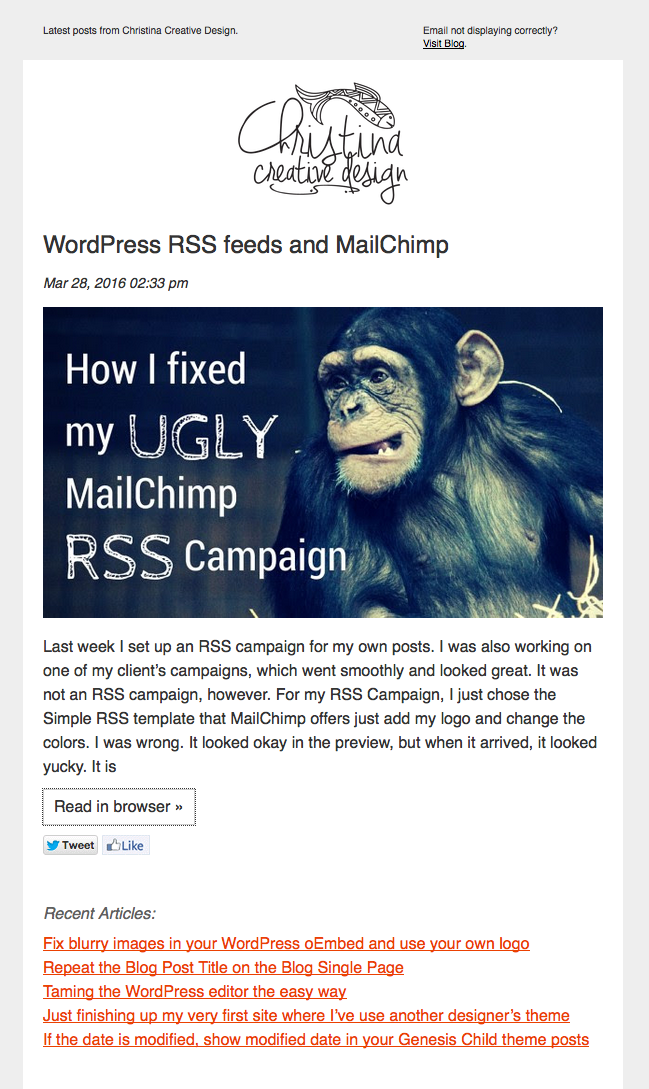
Last week I set up an RSS campaign for my own posts. I was also working on one of my client’s campaigns, which went smoothly and looked great. It was not an RSS campaign, however. For my RSS Campaign, I just chose the Simple RSS template that MailChimp offers just add my logo and change the colors. I was wrong. It looked okay in the preview, but when it arrived, it looked yucky. It is messy and also the padding was gone. I don’t know what happened to the styles. I can’t actually touch the html for the drag and drop template.
I’m not going to bother to figure out what went funky. Instead I did the following:
- Replace the MailChimp template with a custom coded one.
- Paste in a new RSS chunk in their editor.
- Created a new feed for MailChimp with the styles inline for a responsive image inside a table (width:100%).
Note: Images inside tables and inline-block need width:100% not max-width:100% or they won’t resize.
Custom MailChimp RSS Template
Change your links and logo. Read the html and the notes in the Gist. Please learn how to use MailChimp, this post does not provide duplicate instruction found on their site.
In the campaign, paste the RSS feed items inside the template editor (click on code icon to paste as code):
<div style="margin-bottom:20px;">*|RSSITEMS:|* <h2 class="mc-toc-title" style="line-height:30px;font-size:24px"><a href="*|RSSITEM:URL|*" style="text-decoration:none;color:#333;" target="_blank">*|RSSITEM:TITLE|*</a></h2> <em style="font-size:14px">*|RSSITEM:DATE|*</em><br /> *|RSSITEM:CONTENT_FULL|*<br /> <a href="*|RSSITEM:URL|*" style="background:#fff;color:#333;border:1px solid #ccc;display:inline-block;padding:5px 10px;text-decoration:none;margin:10px 0;" target="_blank">Read in browser »</a><br /> *|RSSITEM:TWITTER|* *|RSSITEM:LIKE|*<br /> <br /> *|END:RSSITEMS|*</div> <h3 class="h3">Recent Articles:</h3> *|RSS:RECENT|*
New feed just for MailChimp
Thanks to Greg Rickaby for the alternative RSS template tutorial. When you find helpful tutorials or snippets, you have to read the code to change it to your needs and also validate it and correct it. I changed the code to use my image sizes and removed the stuff I didn’t want.
Step 1: Add the following to your functions.php file and change the prefix to yours.
/** ====================================================================================

 * Register Custom RSS Feed for Mailchimp
 * Kudos: https://gregrickaby.com/custom-rss-template-wordpress/

==================================================================================== **/
function christina_rss_template() {
	add_feed( 'mailchimp', 'christina_custom_rss_render' );
}
add_action( 'after_setup_theme', 'christina_rss_template' );

/** ====================================================================================

 * Custom RSS template callback.
 * Kudos: https://gregrickaby.com/custom-rss-template-wordpress/

==================================================================================== **/
function christina_custom_rss_render() {
	get_template_part( 'feed', 'mailchimp' );
}
Step 2: Create a .php file named feed-mailchimp.php and put it in your child theme directory.
This is a corrected version of the one on Greg’s site. It validates with the correct author syntax <author>your@email.com (Your Name)</author> and the description tags.
Remember to change the value of the image handle to your own on line 14.
Feed url
Your feed url is now http://yourdomain.com/?feed=mailchimp, which is the value you use in MailChimp in their RSS campaign settings.
Now my feed looks nice and clean. I just clicked my link, so ignore the :focus state. Here’s the after, I’m embarrassed by the before.
Note: The preview of your RSS campaign using the *|RSS:RECENT|* will show the current + 5, but on an actual campaign, it will show the previous 5 posts and not the current. Do not send me a bug report. Become a paid member of MailChimp and after reading their documentation, if you have an issue, use their support.